Patient Portal
Portal Login / Create Account
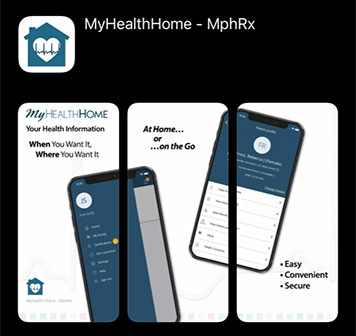
Community Health Systems is pleased to offer patients easy, secure and convenient access to their personal health information via the MyHealthHome online portal and mobile app.
Through our new MyHealthHome patient portal, you can:
- Securely and easily manage your healthcare online
- View recent laboratory results
- Obtain radiology reports
- View current medications
- List current allergies
- View immunization records
- Review clinical summaries of the care you received at Community Health Systems
- Share your information with caregivers and other providers
You can create and access your account via the Community Health Systems website or by downloading the MyHealthHome – MphRx mobile app available in the Apple App Store or on Google Play.


Two Ways to Create Your MyHealthHome Account:
- Enrollment Invitation – Community Health Systems will send a text and / or email to the email address and / or cell phone number you provided upon registration to the hospital. Follow the instructions in that message to create your account.
- Self-Enrollment – If you did not provide Community Health Systems with your cell phone number or e-mail address, you can still create an account by clicking here.
Connect to your MyHealthHome Account:
If you have already signed up for MyHealthHome, click here to login to your account.
Can I access the portal from my phone?
Yes. You can access it from the hospital website, or download the mobile app, called MyHealthHome – MphRx from the Google Play Store or Apple App Store and sign in just as you would on a computer or tablet.
What records can I access through the patient portal?
You can electronically access most, if not all, of your recent hospital medical records (such as lab results, radiology reports and physician reports) depending on the source of the record or when it was created. However, if you are unable to find the records you are looking for, you will need to request your medical records from the Release of Information department at your local hospital. You may also be able to do this online by searching for "records request" on this website and following the instructions, or you can call or visit your local hospital for assistance.
Customer Support:
Click here for technical support if you have difficulty registering for or using MyHealthHome.
Grant Account Access to a Designated Caregiver / Guardian
Have Questions?
Community Health Systems supports Health Records on iPhone which brings together hospitals, clinics and the existing Apple Health app to make it easy for patients to see their available medical data from multiple providers. Learn more about how you can view your encrypted, secure health records on your iPhone.
Grant Account Access to a Designated Caregiver/Guardian Page
To grant a caregiver, guardian or trusted family member / friend access to your MyHealthHome account, the requestor will first need to create their own MyHealthHome account. Once they have created their own account, they can request access to your account. You then will receive notice of the request along with an auto-generated PIN code to share with the requesting individual. Once the requesting individual has entered the PIN code, the accounts will be linked and the requestor will be granted access to view your health information.
If either party later decides the connection is no longer necessary, it can be disabled by following the "de-linking" instructions provided in one of the account's dropdown menus.